
Boeing 777
The 777-300ER and the 777 Freighter: every panel of the flight deck, the FCOM systems, the EICAS messages and the QRH, with the aircraft drawn to scale in 3D so you can see where each pump, valve and generator sits.
Electrical
AC and DC generation and distribution
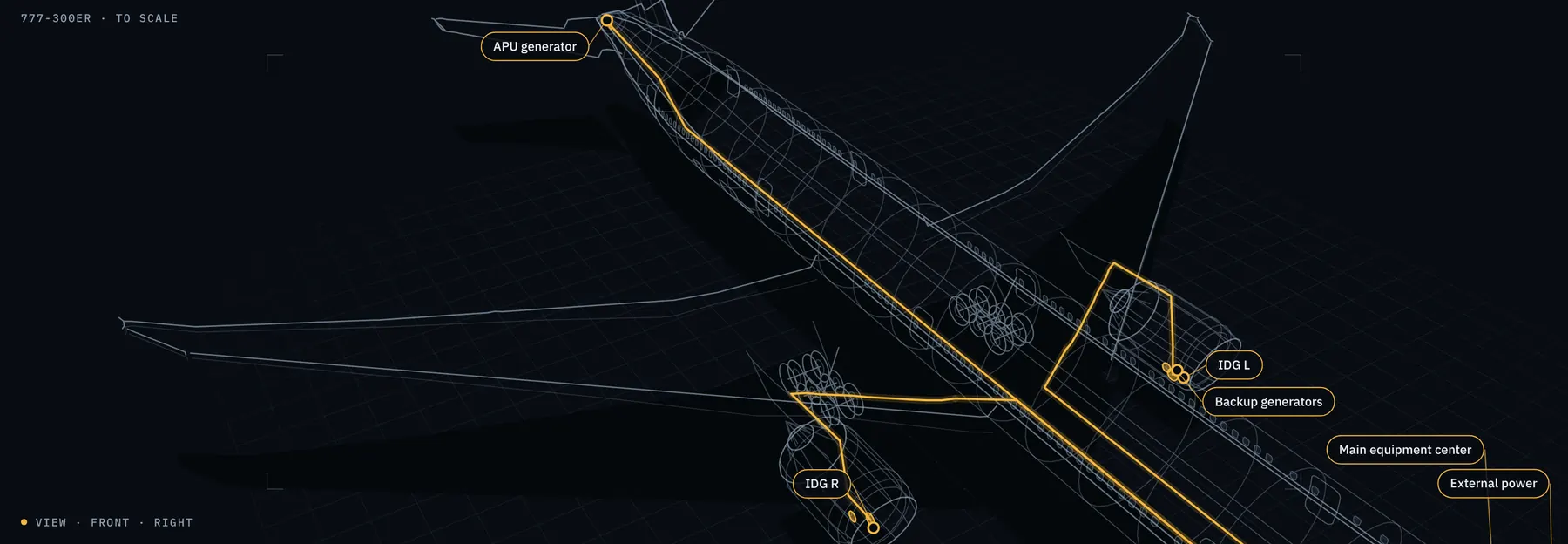
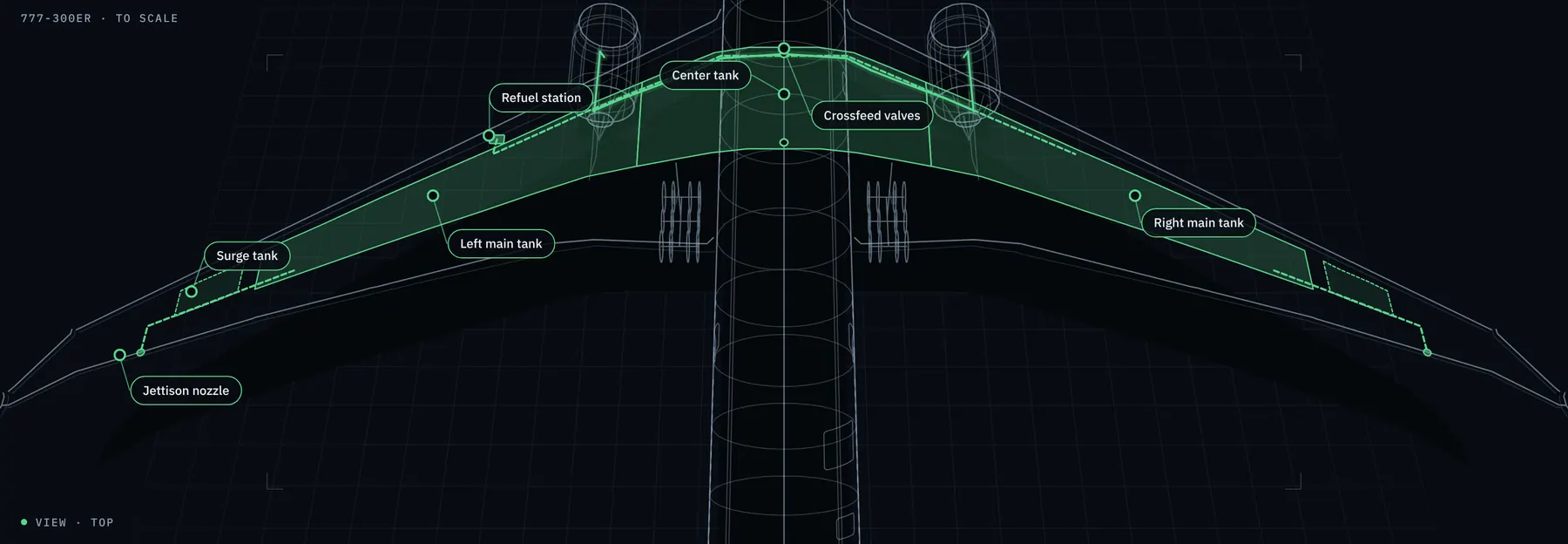
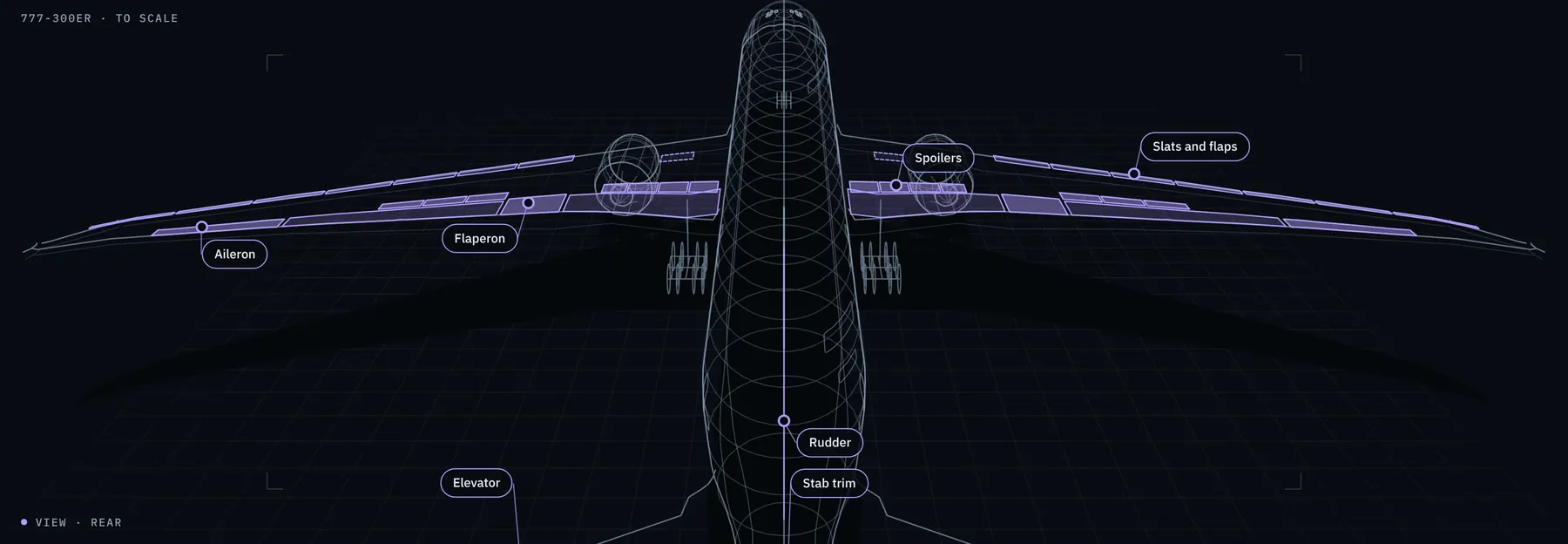
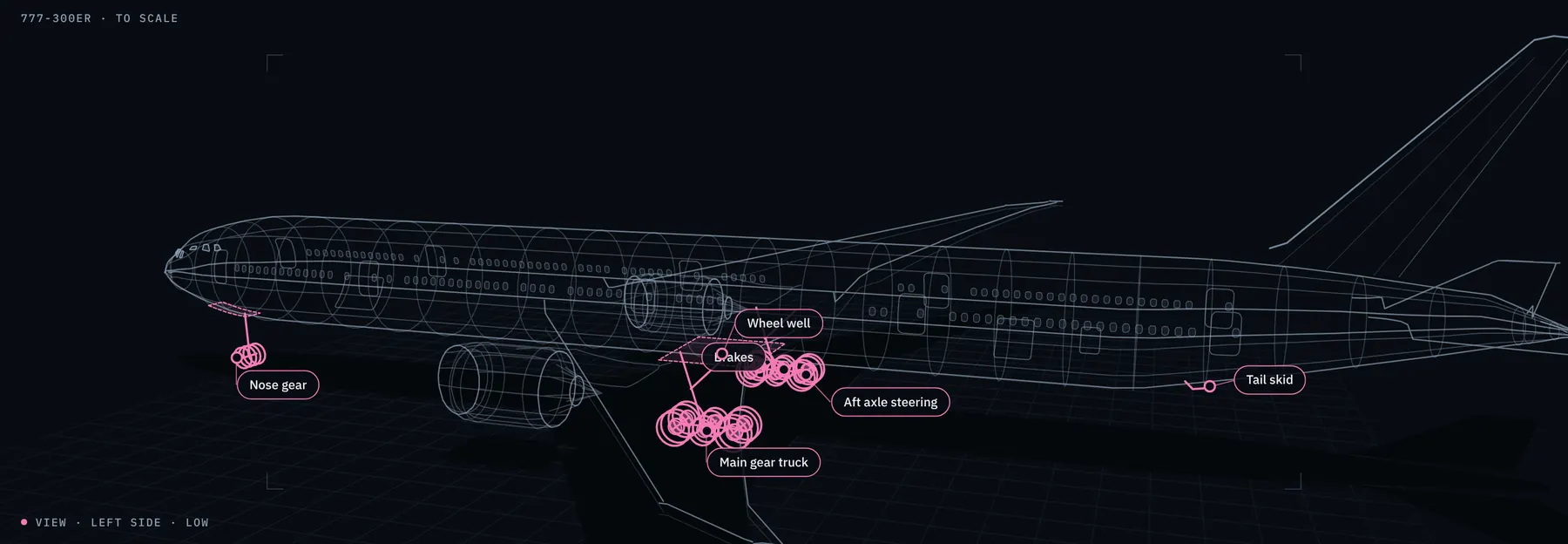
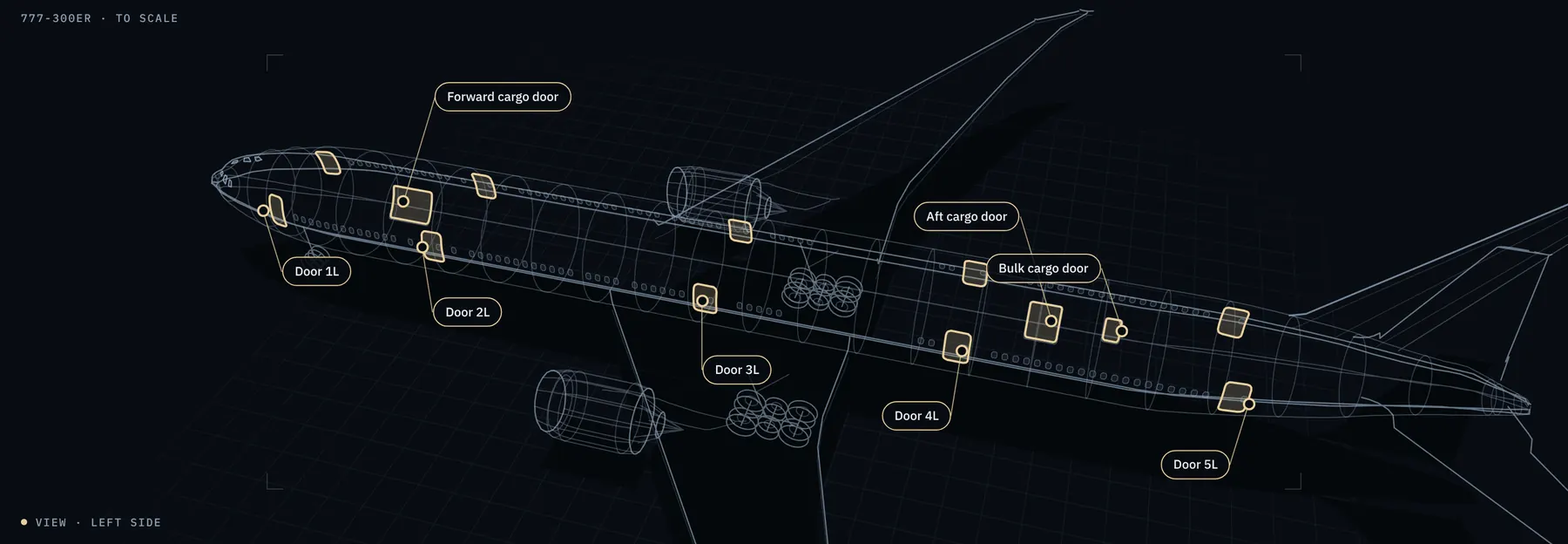
777-300ER, drawn to scale. In the app, tap any part for what it does and where it is, then open its systems page.
- Left engineIDG L
Integrated drive generator on the left engine. Normally powers the left main AC bus.
- Right engineIDG R
Integrated drive generator on the right engine. Normally powers the right main AC bus.
- Each engineBackup generators
Each engine also drives a backup generator that can power the transfer buses through the converter.
- Tail cone · APU compartmentAPU generator
APU-driven generator. Can power either or both main AC buses.
- Below the forward cabin floorMain equipment center
Main battery, TRUs, ELMS panels and the flight control computers.
- Forward lower fuselageExternal power
Primary and secondary external power receptacles.
Turn it yourself
The same 3D model as in the app. Drag to turn the aircraft, pick a system, tap a component. It loads about 2 MB.
What’s in the 777 module
Downloaded once, it works with no connection: on the ground, in flight mode, in the hotel.
- Controls you can tap
- 536
- Panels
- 28
- FCOM topics
- 905
- Figures
- 494
- EICAS messages
- 258
- Systems schematics
- 17
- QRH checklists
- 278
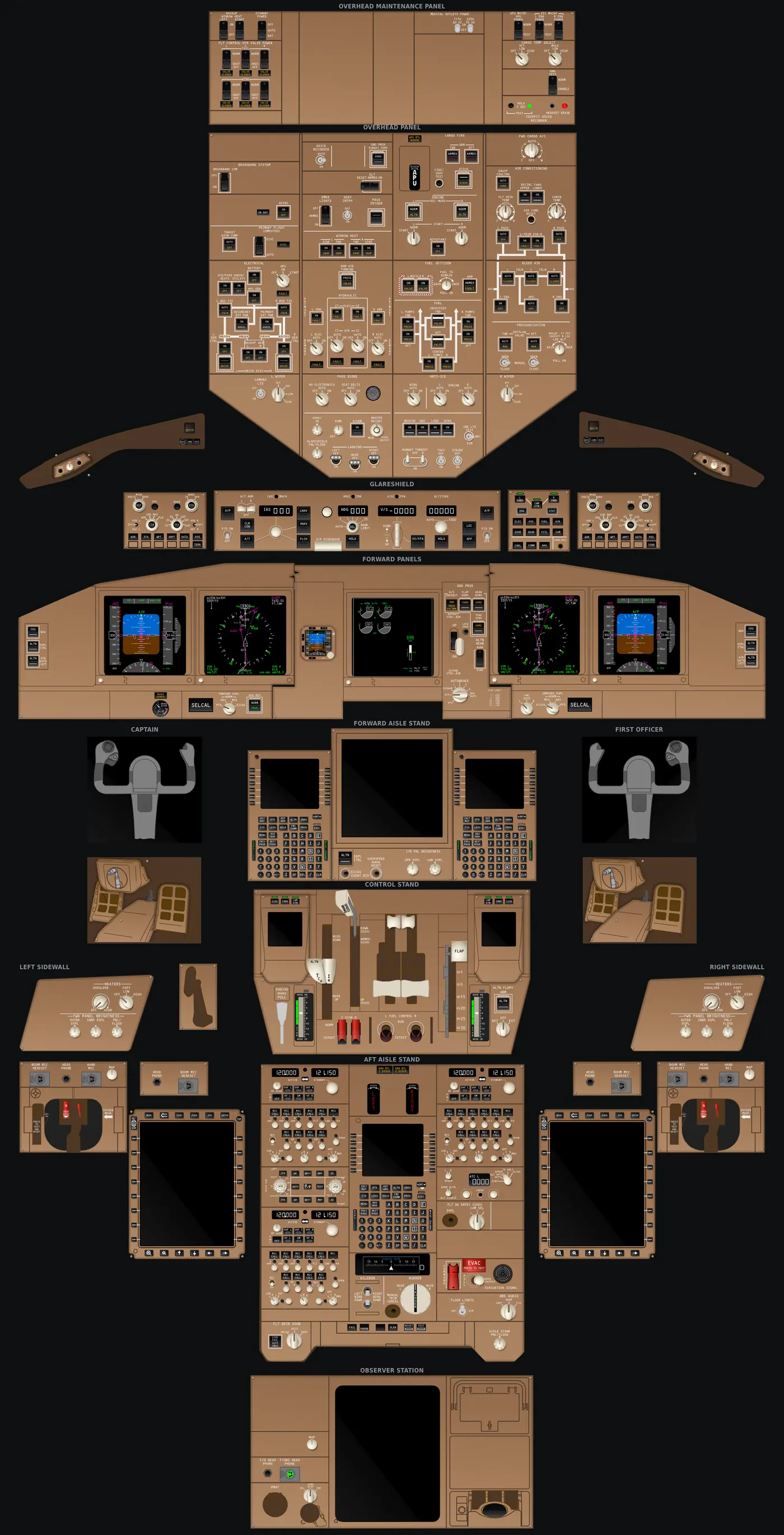
The flight deck, panel by panel
536 controls across 28 panels. In the app every switch, knob and light is a button: tap it for what it does, how it’s used and where its system is described.
Systems schematics
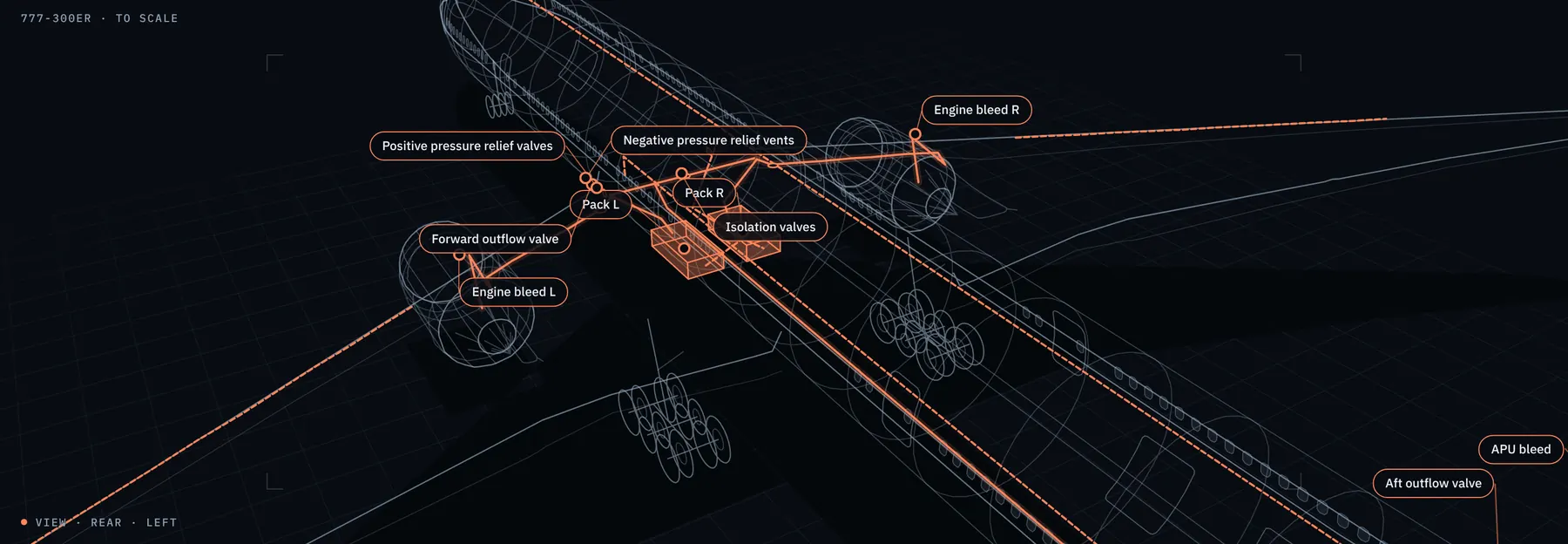
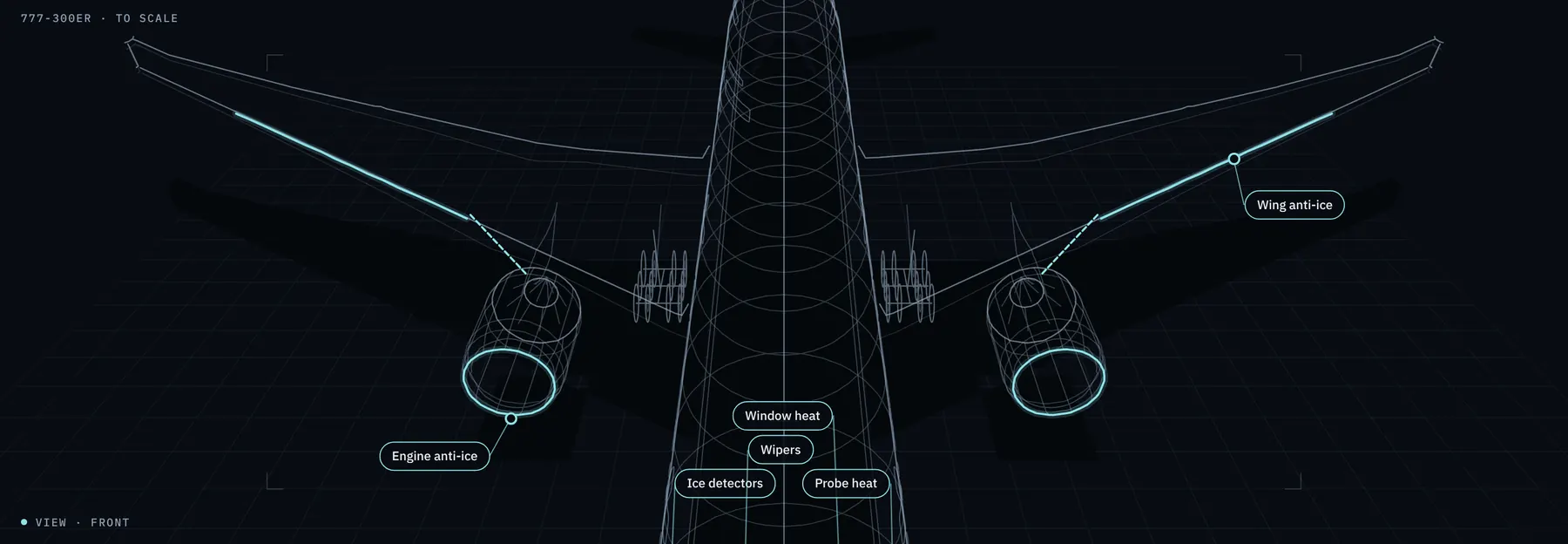
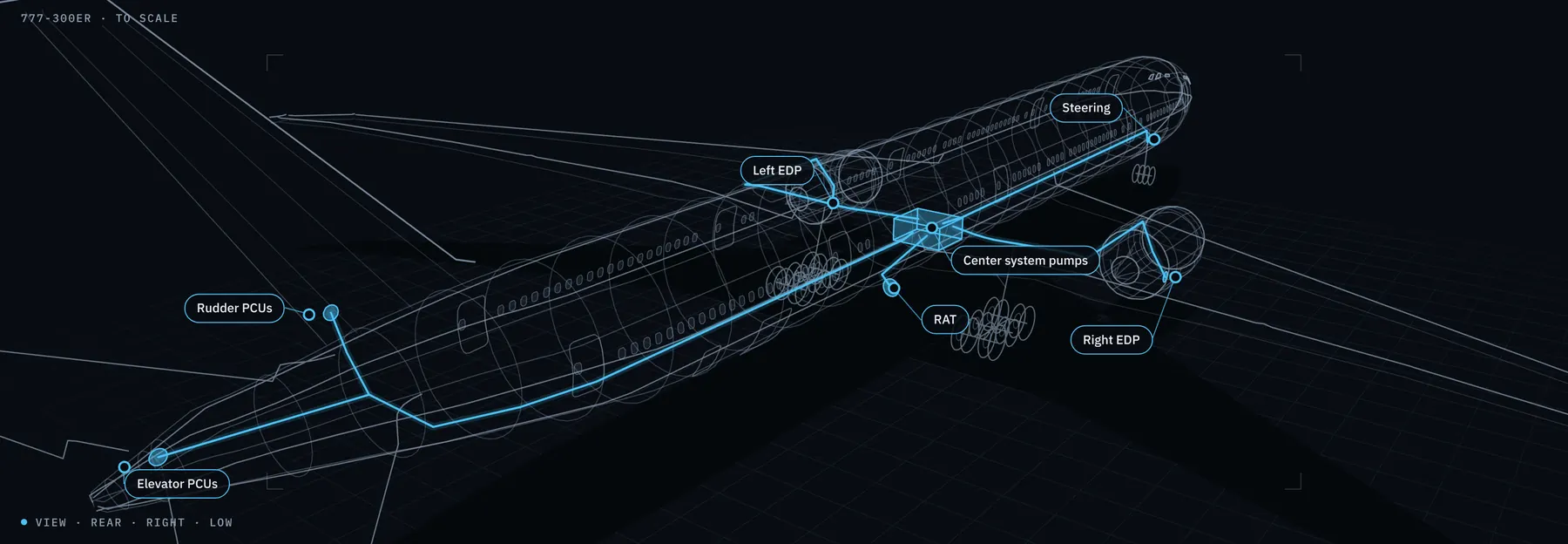
17 schematics in the module, 182 of their parts explained when you tap them. These are a few of them, drawn by FlightPal.
Systems, QRH and procedures
Systems
15 chapters, 905 topics
Each chapter as the FCOM orders it, with its figures. Tap a control on the flight deck to land on its description; tap a component in 3D to open its system.
- Airplane General
- Air Systems
- Anti-Ice, Rain
- Automatic Flight
- Communications
- Electrical
- Engines, APU
- Fire Protection
- Flight Controls
- Flight Instruments, Displays
- Flight Management, Navigation
- Fuel
- Hydraulics
- Landing Gear
- Warning Systems
Quick Reference Handbook
Non-Normal Checklists, 278 in all
Find a checklist by its section or by searching for it. Each is laid out like an electronic checklist: action steps can be ticked off, and decisions are drawn as in the book.
- Unannunciated22
- Airplane General, Emergency Equipment, Doors, Windows16
- Air Systems22
- Anti-Ice, Rain16
- Automatic Flight6
- Communications, Datalink11
- Electrical13
- Engines, APU28
- Fire Protection19
- Flight Controls20
- Flight Instruments, Displays9
- Flight Management, Navigation11
- Fuel20
- Hydraulics, RAT22
- Landing Gear11
- Warning Systems, Tailstrike21
- Non-Normal Maneuvers11
Normal procedures
11 phases
The normal procedures and checklists, phase by phase, from the first flow to the last.
- Preflight
- Before start
- Before taxi
- Before takeoff
- After takeoff
- Descent
- Approach
- Landing
- After landing
- Shutdown
- Secure
The rest of the manual
Limitations, Normal Procedures, Supplementary Procedures, Performance Dispatch, Performance Inflight. Search finds a control, a system, a limitation, a procedure or an alert across all of it.
For familiarization only, not for operational use. Your operator’s approved manuals always take precedence.